
The Steam Machine is finally here after looming on the horizon for the last eight months or so. And while Valve has been adamant that the Steam Machine is an entry-level gaming PC, rather than a new, fourth player in the console space, this little box has captured the attention of console and PC gamers alike.
At $1,049, the Steam Machine is unlikely to win over the hearts and minds of PlayStation and Xbox faithfuls, but it is easily the best living room PC I’ve ever used, despite being a bit weaker than either of the base consoles. But what’s truly impressive is that it’s able to do that while also being one of the best ways to just get into PC gaming in the first place. PC gaming has always been expensive, and the Steam Machine is certainly no different, but Valve was able to cut away most of the tinkering and just get new players into the game.
The RAM crisis may have caused Valve to raise the price, but $1049 for a gaming PC is certainly not unheard of, especially for a rig as small as this. So, yeah, the Steam Machine isn’t going to be for everyone, but if you have the budget, it’s an incredible device to hook up to your TV.
Expensive, Or Is It?
The Steam Machine’s price has been a constant topic of conversation ever since it was announced back in November 2025. Back then, Valve made it very clear that the Machine would be priced competitively with a comparable gaming PC, and at that point, I assumed it’d land at around $800. But gaming PCs, and the components they’re made of, have become much more expensive since then.
Thanks to the ongoing RAM crisis, fueled by seemingly every company needing to build a hyperscale datacenter, the 16GB of RAM in the Steam Machine alone would cost nearly $250 by itself. And, with that in mind, it makes it a little easier to understand how Valve landed on a $1049 price point for the 512GB version and $1349 for the 2TB model, even if it makes it a bit harder to recommend.
That makes the Steam Machine around $400-450 more expensive than the Xbox Series X or the PlayStation 5 to start. That price probably disqualifies Valve’s new mini gaming PC in the eyes of many console faithfuls, but it makes a lot more sense for its intended purpose as an entry-level gaming PC.
Because as much as that $1049 price tag is shocking at first glance, Valve is still keeping its word about keeping the price competitive. I took a moment to price out a similarly-specced gaming PC on PCPartPicker, and it ended up being around $1050, and that’s with a full-sized ATX PC case, rather than the Steam Machine’s tiny little cube.
Whether you’re just getting into PC gaming and need a low-effort starting point, or if you already have a huge Steam library and you need a mini gaming PC for your living room, the Steam Machine is arguably a pretty good deal. Especially because unlike most gaming PCs, the Steam Machine is ready to play games as soon as it boots up for the first time. And, well, time is money.
Design and Features
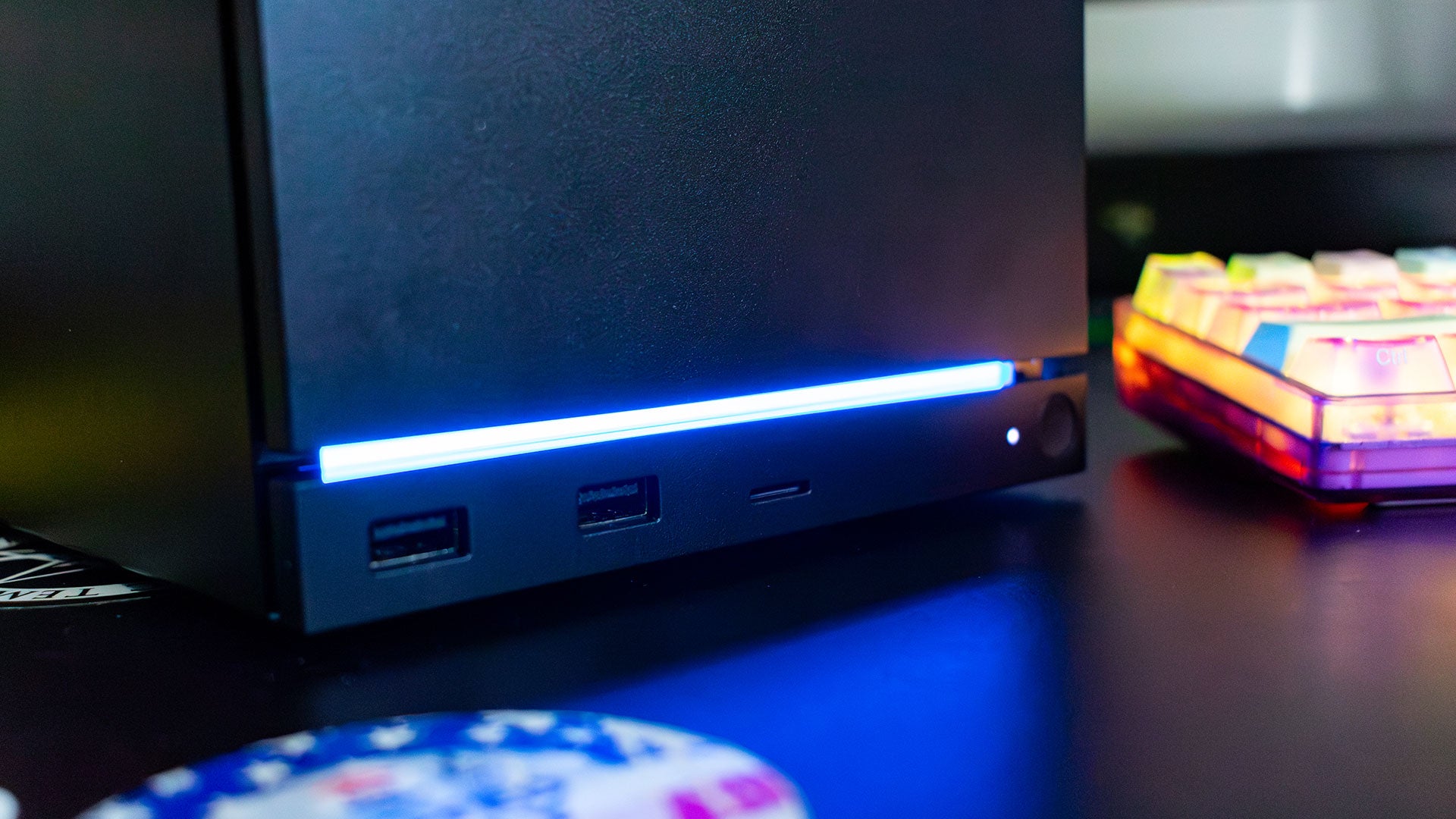
Right out of the box, the Steam Machine doesn’t look like much. It’s a little cube, about 6-inches on each side, with an RGB light bar across the bottom. And that’s one of the main appeals about this little PC.
At the beginning of this console generation, the PS5 and the Xbox Series X both had out-of-this-world designs. The PS5 looked like some fancy space-age building in a gentrified neighborhood, while the Xbox Series X looked like a mini-fridge with green accents in the vents. Depending on your sensibilities, the Steam Machine is so small and unassuming that it might be the first console-that’s-not-a-console that actually blends in with the rest of your entertainment center.
Everything about the Steam Machine’s design seems purpose-built to blend into your living room, down to the cooling. There’s only a single fan on this thing, located in the rear of the device. That doesn’t sound like enough, but most of this cube is a giant heatsink that takes cold air from the front of the device and passes it directly out of the back. Just take off the magnetic faceplate and peek inside, and you’ll see just a block of aluminum fins to that effect.
This is such a simple cooling solution in theory, but it immediately solves the overheating problems of anyone that just wants to shove their console on a shelf and forget about it. You don’t have to worry about keeping the sides of the Steam Machine free to ‘let it breathe’ because the only air intake is in the front of the console, which then spits hot air out of the back. And, you’re going to want both the front and the back of the device clear anyway to access the ports.
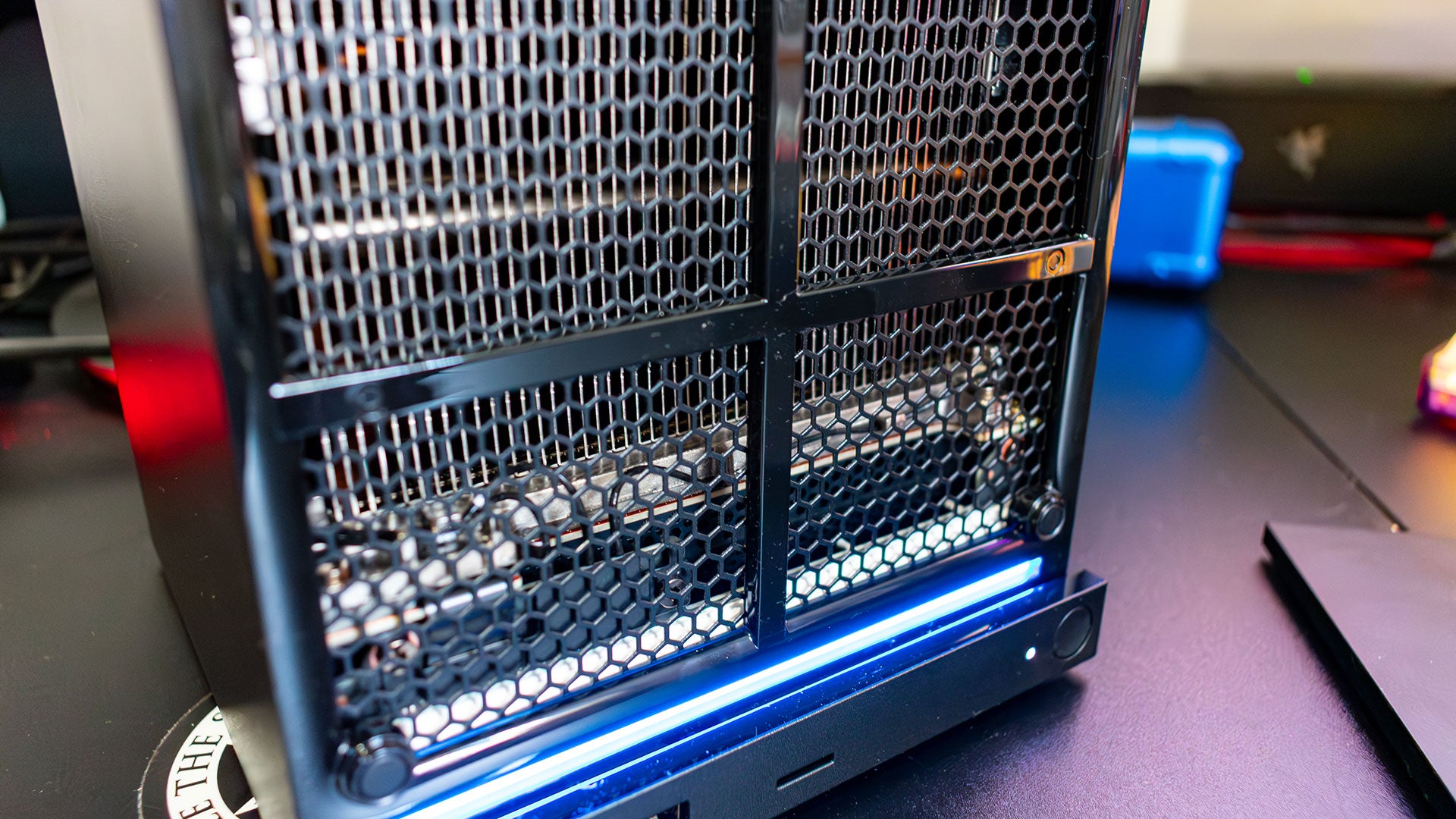
There are three ports on the front of the Steam Machine, two USB-A ports to connect controllers or other peripherals and a MicroSD card reader. I love that the card reader is in the front here, because if you already have a Steam Deck, you can easily swap the SD card carrying your game library between the two, and have immediate access to whatever you’re playing.
Just like any desktop PC, there are way more ports ‘round the back. There’s an HDMI and a DisplayPort for displays, along with a power connector, an ethernet port, two USB-A ports and a USB-C port. That’s admittedly less than a lot of full-sized PCs, but with the size of the Steam Machine, it’s hard to expect anything more.
It’s important to note, though, that the power connector is the same as what’s found on other game consoles like the PS5 and the Xbox Series X. That certainly helped a lot in my testing, because it kind of just slotted right into my setup, but it also just means that the power connector will be super easy to replace, as there are a ton of cheap power connectors you can buy online for this thing.
If you don’t necessarily want the Steam Machine to blend into the background, the faceplate is swappable. It’s attached by magnets on each of the four corners, and the Machine comes with a plain black one preinstalled. If you have the cash for the 2TB model, it’ll come with two extra faceplates, but because the attachment is so simple, I expect there will be a little cottage industry that springs up selling 3D-printed faceplates with all kinds of wild designs.
There’s also the RGB light strip at the bottom of the device. By default, this acts as a sort of status indicator, glowing blue when the PC is on and blinking white when it’s trying to go to sleep. But you can go into the ‘Customization’ menu and either turn the light off entirely, or change it to any color or effect you want.
More Than Just a Console
It would be easy to dismiss the Steam Machine as an overpriced console, but it is so much more than that. There’s a reason that Valve repeatedly hammered home the idea that this is intended to be a gaming PC – it can do so much more than just play games.
While it’s true that the PS5 and Xbox have a slew of different apps that extend their utility, a lot of those boil down to watching Netflix or something similar. The Steam Machine, on the other hand, is just a Linux PC that launches in Steam Big Picture mode, so the possibilities are basically endless.
You’re not going to find much in the way of ready-to-install entertainment apps, but even without swapping the operating system over to Windows – which you can do – you can install a bevy of different programs. Yeah, you can just use it to watch Netflix through the Chrome browser if you want, but you can also plug in a keyboard and mouse and code on this thing. Try doing that on a PS5 without jailbreaking it.

Admittedly, that narrows down the appeal of the Steam Machine a bit. People who just want a little entertainment box might be better served with a traditional console, but I don’t think that necessarily matters. One of the beautiful things about PC gaming, and one of the reasons PC gamers are so attached to their machines, is because a great gaming PC becomes a sort of appliance in their home.
I already mentioned how well the Steam Machine fits into an entertainment center, but the small size and unassuming aesthetics also makes it a great fit on any desk. Simply plug in a keyboard and mouse, and the Steam Machine is powerful enough to be a little mini workstation, especially for lighter tasks like coding or writing.
That’s probably a big reason why Valve wasn’t able to use sales from the Steam Store to subsidize the cost of the Steam Machine. Even without playing games, the Steam Machine is just a great little mini gaming PC, and in that world the $1049 price that is so high compared to a game console actually starts looking like a bit of a bargain.
The Big Picture
Being more of a gaming PC than a game console doesn’t mean that the Steam Machine carries the same kind of baggage as Windows 11 devices. Just like the Steam Deck before it, Valve’s mini PC is basically plug-and-play. As soon as you boot it up, it’ll pull up a log-in screen that you can get past simply by scanning a QR code with the Steam Mobile app. And, then you’re just in Steam Big Picture mode, where you can just start downloading and playing games.
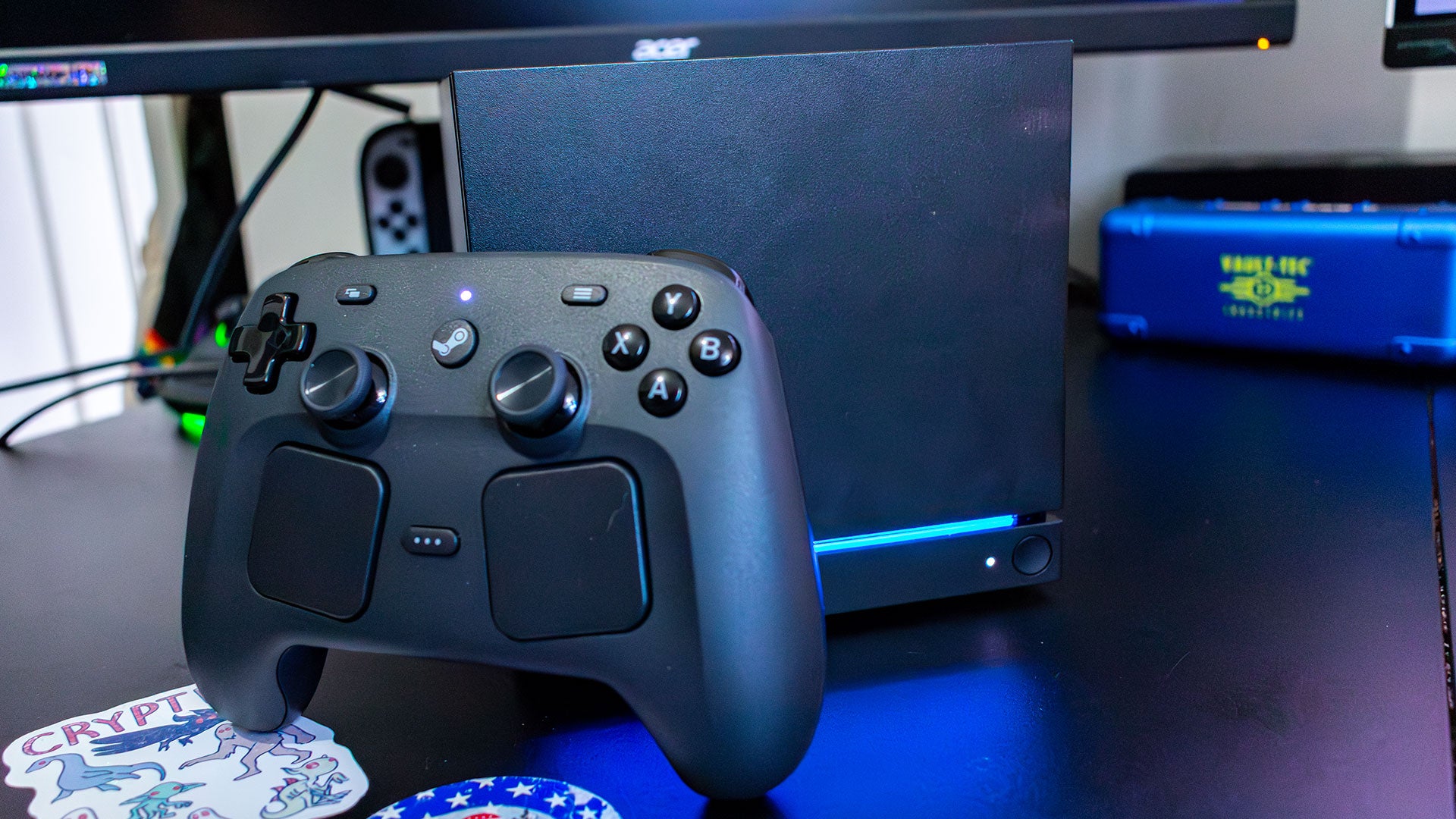
For a lot of people, that’s as deep as you’re going to need to go. And, even if you do need to tweak some settings, it’s super easy to just hit the Steam Button on the Steam Controller, or the equivalent menu button on whichever controller you’re using to bring up the Steam menu. From there, you can go into settings and tweak everything from default game resolution to the RGB lighting.
You can also use the Quick Access menu – brought up by the 3-dots-button – to tweak system settings like refresh rate and even how much power is being pumped into the GPU. It is surprisingly easier to tweak settings on the Steam Machine than it is to tweak things on an Xbox or PS5.
Of course, you can go into the Linux desktop and really get into the weeds. But unless you really want to add your Epic Games or other games libraries, you probably never have to even look at the desktop if you don’t want to. Although, being able to go to the desktop and just use the Steam Machine as an actual computer is what makes this thing one of my favorite PCs in years. There’s just something incredible about a gaming PC that’s connected to my TV that I can push a button and turn into an actual workspace, when typically it’s the other way around on Windows machines.
Performance and Gaming
The Steam Machine is packing a 6-core, 12-thread Zen 4 processor, paired with a RDNA 3 GPU with 28 CUs, the equivalent of a Ryzen 5 7600 and a Radeon RX 7600, respectively. That’s not exactly a recipe for a high-end gaming PC, but it is more than enough to run most modern games, although you will have to tweak settings to play at 4K.
Unfortunately, Valve came out the gate claiming the Steam Machine would be able to play games at 4K60 with FSR. The Steam Machine absolutely can do that, but not with all the eye candy enabled. And, it just so happens that when I’m testing a gaming PC, I benchmark with all of that eye candy enabled.
If my testing process was limited just to my regular benchmarks, the Steam Machine wouldn’t look too great. In Cyberpunk 2077 with the Ray Tracing Ultra preset at 4K, and with FSR set to ‘Performance’, the Steam Machine only managed to get 14 fps. That’s pretty dismal, but once I turned down ray tracing, that number skyrocketed up to 42 fps at the same resolution.
Then, in Forza Horizon 6, with the Extreme preset without ray tracing, the Steam Machine got 30 fps with FSR set to ‘Performance’. And in Total War, Warhammer 3, on the Ultra preset at 4K, the Steam Machine gets 23 fps. These numbers don’t exactly bode well for Valve’s ‘4K60’ frames, at least until you remember that, at its core, the Steam Machine is a gaming PC.
All it really takes to hit those 4K60 numbers is to tweak with the settings. Once I turned those games down to their respective medium presets, Forza Horizon 6 was able to get 57 fps, and Cyberpunk 2077 was able to get up to 64 fps. And that’s exactly where I’d want the Steam Machine to be, if I’m just connected to a TV in the living room.
The same was true across all the games I played in my time with the Steam Machine: I had no problem hitting averages between 50-60 fps in pretty much every game I tried. There are some games, like Death Stranding 2, which averaged around 45 fps with its medium preset, but even that is still very playable. It’s important to keep in mind too, that the image quality that comes with ‘Medium’ presets on PC, is typically about the same as what you’d get from the base PS5 and Xbox Series X.
For instance, in 007 First Light, I set most of the settings at around medium or high, and managed to get around 55-60 fps. That’s not quite the same locked 60 fps that the PS5 or Xbox Series X gets, but those consoles typically use dynamic resolution in games, which means the resolution will scale up or down in order to maintain a locked frame rate.
That option will certainly be available in some games on PC, but for the most part, you’re going to have to tweak games until they run at the frame rate you’re comfortable with.
It’s also worth noting that a driver update came out after this review went into edits, which may improve performance. We’ll be testing that soon and will have those results in a performance deep dive in the coming days.
Jackie Thomas is the Hardware and Buying Guides Editor at IGN and the PC components queen. You can follow her @Jackiecobra